
Clients / Utility

Marlow Client
Utility and combat client with a neon-styled interface.
Preview
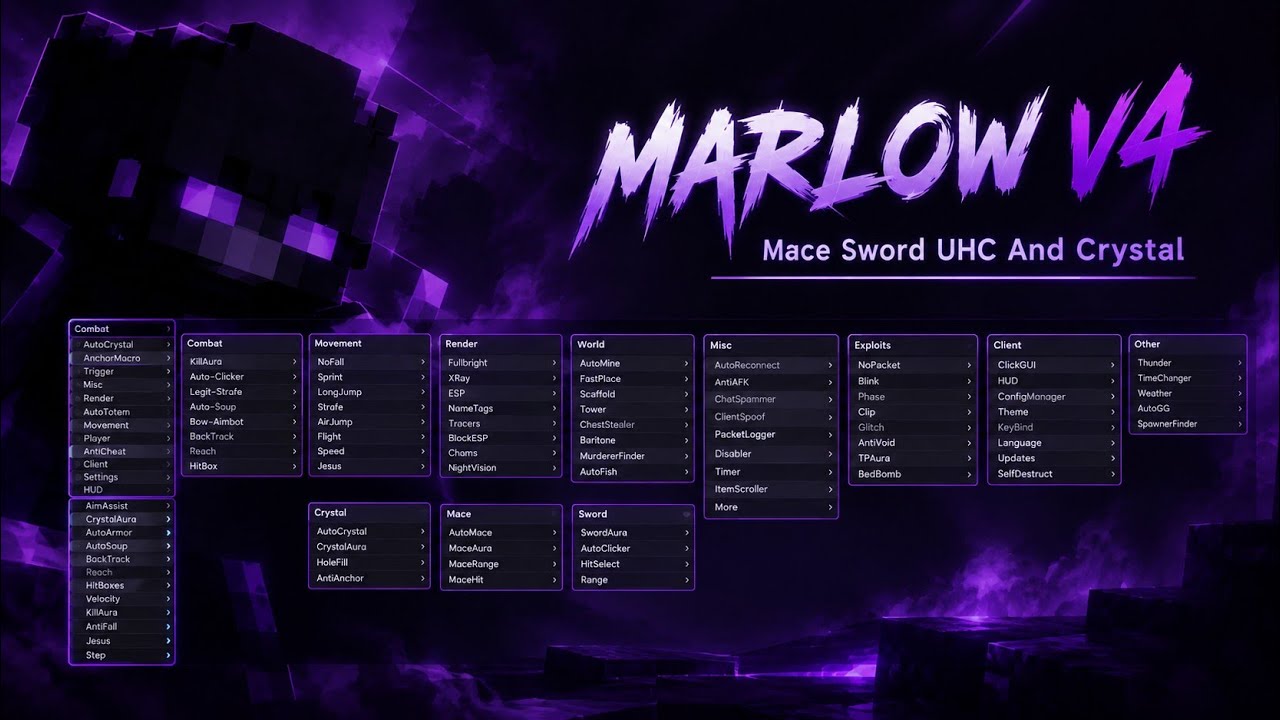
Features
Combat Automation
TriggerBot, AutoTotem and combat utilities
ESP & Xray
Visualise selected players, blocks and storage
Friend System
Maintain a persistent list of friends
How to install Marlow Client
- 1
Download the jar
Use the Download button above. You get a single .jar file.
- 2
Get Fabric API
Marlow Client needs Fabric API for Minecraft 1.21.11. Download it with the Fabric API button above.
- 3
Drop both in your mods folder
Press Win + R, paste the path below and press Enter.
Windows%appdata%\.minecraft\modsmacOS~/Library/Application Support/minecraft/modsLinux~/.minecraft/mods - 4
Launch and open the menu
Start the Fabric 1.21.11 profile in your launcher, join the server, then press RShift to open the menu.
FAQ
Is Marlow Client free?
Yes. No keys, no accounts and no paywalls.
Which Minecraft version does it need?
Minecraft 1.21.11 with the Fabric loader.
What key opens the menu?
Press RShift in game to open the Marlow Client menu.
It crashes on launch.
Make sure Fabric API for Minecraft 1.21.11 is in your mods folder too, and that you start the Fabric 1.21.11 profile.